
If you are looking for an ePay alternative in Bulgaria, don't start with transaction rates. Start with what you actually want to change.
ePay.bg covers both account-based payments through an ePay profile or Microaccount and direct card payments through ePay World. That means switching everything is not always the best move.
For many online stores, the more useful comparison is between ePay World and other ways to accept cards, while keeping ePay available for customers who already use its account-based methods.
Key takeaways
- ePay.bg handles two different things: payments from customers with an ePay account, and ordinary card payments through ePay World.
- For profile, Microaccount and B-Pay payments, ePay charges you 1%, minimum €0.10, while customers may pay a separate fee.
- The main alternatives are Paypercut, myPOS, Stripe and a bank virtual POS.
- Most stores only need to change their card acceptance, not the whole setup.
- You can run a second provider alongside ePay.bg and decide once you see which methods customers use.
What ePay.bg actually is
ePay.bg launched in 1999 and is operated by Ipay AD. The regulated payment services sit with EasyPay AD, an electronic money institution licensed by the Bulgarian National Bank, and the Microaccount is an EasyPay payment instrument opened through the ePay.bg site. The system holds Level 1 service provider status and says it has carried the highest Visa and Mastercard security certification since 2007.
The reason it matters to you is the habit behind it. Its consumer services cover everyday payments such as utility bills, traffic fines, taxes and transfers, along with topping up a Microaccount in cash at an EasyPay desk and paying at an ATM through B-Pay.
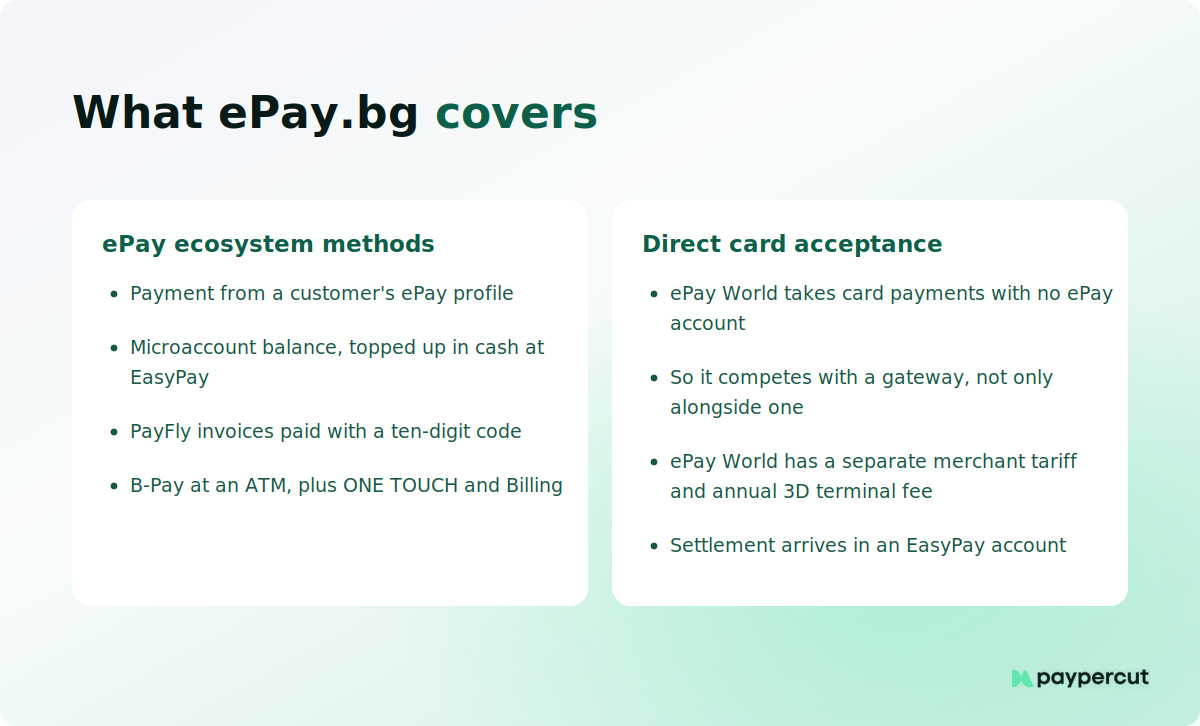
What that gives you as a merchant is a set of ways to get paid by the people inside that system:
- Payments from a customer's ePay profile, using a card they have registered or their Microaccount balance
- ePay World direct card payments, where the customer pays by card without an ePay account
- PayFly, which sends an invoice the customer settles with a ten-digit code
- ONE TOUCH, a payment interface for stored-card and repeat payments
- Billing, for periodic charges
- Cash through the EasyPay counter network, depending on your contract
- A listing in the public merchant directory, which is a discovery channel in itself
Two of those matter most when you compare providers. The account-based methods reach customers who already hold an ePay profile or Microaccount. ePay World reaches everyone else, by card. Which of the two is carrying your orders is what decides where to look next.
How ePay's two sets of fees work
For profile and Microaccount payments, here are both sides in full, so you can put your own numbers against them.
What you pay. Under the 2026 ePay merchant tariff, payments made by Microaccount or by card through a customer's ePay profile, or through B-Pay, carry a 1% merchant fee with a €0.10 minimum, deducted as the payment reaches your EasyPay account. Your own agreement can carry supplementary terms, so read it alongside the published tariff.
ePay World is separate. Its 2026 merchant tariff includes an €81.81 annual fee for the 3D terminal, with per-payment fees set separately for direct card acceptance.
What your customer pays. Separately, ePay publishes a tariff for customers paying internet merchants through their ePay profile. Checked September 2026:
One-off payments where the customer types card details in without using an ePay profile are priced differently, and the amount is shown before they confirm. They can decline at that point.
Three consequences follow, and they are all commercial rather than technical.
Model both sides before you compare anything. A gateway quoting you 1.30% is not directly comparable with ePay's 1% merchant fee, because the ePay setup can also put a separate fee in front of your customer. Compare your direct merchant cost separately, then account for what the customer sees at checkout.
A customer-side fee is a conversion event as well as a cost. Your buyer sees a charge at the moment of payment and can decline. That behaves differently from a rate landing quietly on your statement, and it does not show up in any spreadsheet comparing merchant rates.
Foreign cards are the expensive column. A card issued outside the EU carries 2.90% on the customer side, and a company buyer on a Visa Business card 2.00%. If you take a real share of orders from abroad, that is the line to check first.
None of that makes ePay a bad choice. It makes it a setup that suits some customer bases very well and others badly, which is exactly the kind of thing you can check against your own order data rather than argue about.
Should you replace ePay.bg or add another provider?
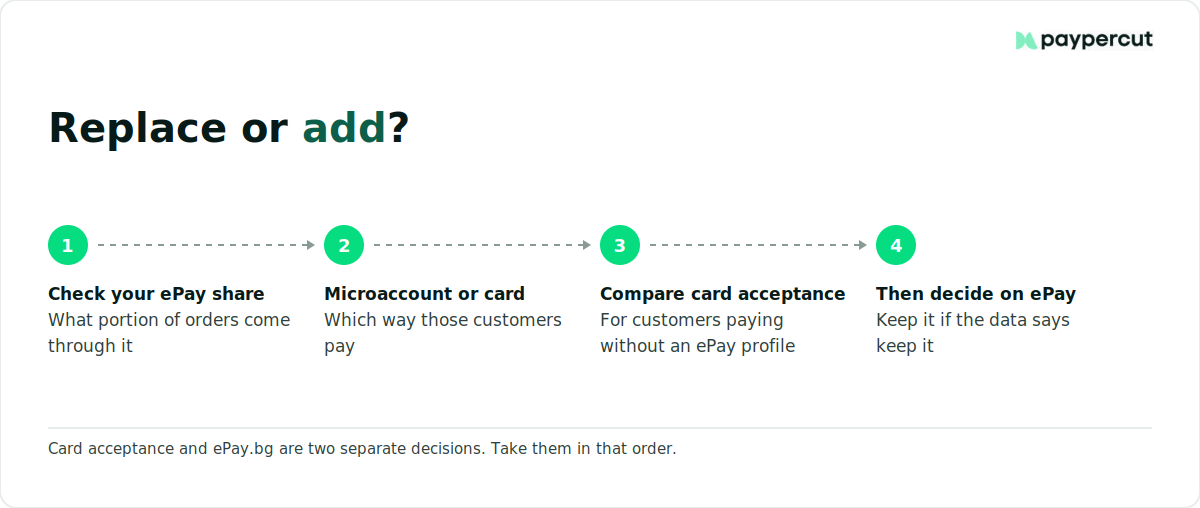
Start with your card acceptance
ePay World already handles card payments, so this is a like-for-like comparison rather than a gap in your setup. What you are testing is whether another provider gives you better economics, better checkout methods or better reporting for the customer who arrives from an ad on their phone with no ePay account.
Then decide on the account-based side
Often the answer is to keep it, and your own data will tell you. What share of your orders come through ePay, are those customers repeat buyers, and are they paying by Microaccount and profile or by card?
The ePay-specific account-based methods are the part another card gateway will not replicate: the Microaccount, the EasyPay cash network, PayFly and B-Pay. If a meaningful share of your orders arrive that way, removing ePay takes away a payment route those customers already use and may cost you some of those orders.
If almost everything comes through as a plain card payment, you are comparing two card setups and the decision is simply which one costs and performs better.
If almost everything comes through as a plain card payment, you are comparing two card setups and the decision is simply which one costs and performs better.
ePay.bg alternatives at a glance
If card acceptance is the part you want to change, there are four main routes to compare.
1. A bank virtual POS
Your bank underwrites you directly and gives you a bank-issued virtual POS, often using BORICA infrastructure. UniCredit Bulbank, UBB, DSK, Postbank and Fibank all sell some version of this.
If your business is straightforward and your customers are Bulgarian, a bank can quote competitively on domestic consumer cards, though this varies by bank and by the volume you bring. Test the things around the rate: how long underwriting takes for a business like yours, what the checkout actually looks like, and how a roadmap question gets answered.
2. An account-based fintech
myPOS is the clearest Bulgarian example and publishes its rates, which makes it useful as a benchmark. Checked September 2026, its online rates are 1.30% + €0.10 for domestic and EEA consumer cards, 2.50% + €0.10 for American Express, and 2.90% + €0.10 for all other consumer and business cards, with no monthly fee.
Note that this is published as a merchant-side transaction fee, which makes the merchant cost straightforward to model.
The other detail is where the money goes. myPOS holds card-payment funds in a multi-currency electronic money account with an Irish IBAN, rather than paying into your existing business bank account. Worth comparing against the ePay route, where receipts land in an EasyPay payment account and then transfer on to your nominated bank account.
3. A regional payments platform
This category covers online payment platforms focused on European merchants, including platforms that provide the customer-facing layer while regulated payment services run through licensed partners. Paypercut is the Bulgarian-relevant example, and its rates are published; they are set out in the closing section below.
What you are buying is coverage: local payment habits, modern checkout methods like Apple Pay and Google Pay, settlement in the currencies you sell in, and an integration that still works when you add a second market.
This route makes most sense when the trigger is checkout methods or cross-border expansion rather than simply finding the lowest rate.
4. A global platform
Stripe has been generally available to Bulgarian businesses since 2020 and publishes its rates. Checked September 2026, standard European Economic Area cards are 1.5% + €0.25, premium EEA cards 2.8% + €0.25, UK cards 2.5% + €0.25 and other international cards 3.15% + €0.25, with a further 2% where currency conversion is required.
The API and billing tooling are excellent, and for a SaaS company with recurring plans that may be enough to settle the choice. For a Bulgarian retailer selling almost entirely to Bulgarian customers, the question is whether that global reach justifies the pricing and tooling you are paying for.
That is also why it makes sense to compare Stripe against other payment providers in Bulgaria on the same things that affect you day to day: cost, settlement, local payment methods, integration and support.
The setup matters too, because choosing between a dedicated merchant account and a platform-based model changes how the acquiring relationship and movement of funds are handled.
What the change actually involves
Less than most merchants fear, and the risky part is not technical.
If the provider has a maintained integration for your e-commerce platform, setup can be as simple as installing it and adding your credentials. WooCommerce, OpenCart, Shopify, Magento and PrestaShop are the usual candidates. A custom checkout built against an API takes developer time, and you should budget for it honestly.
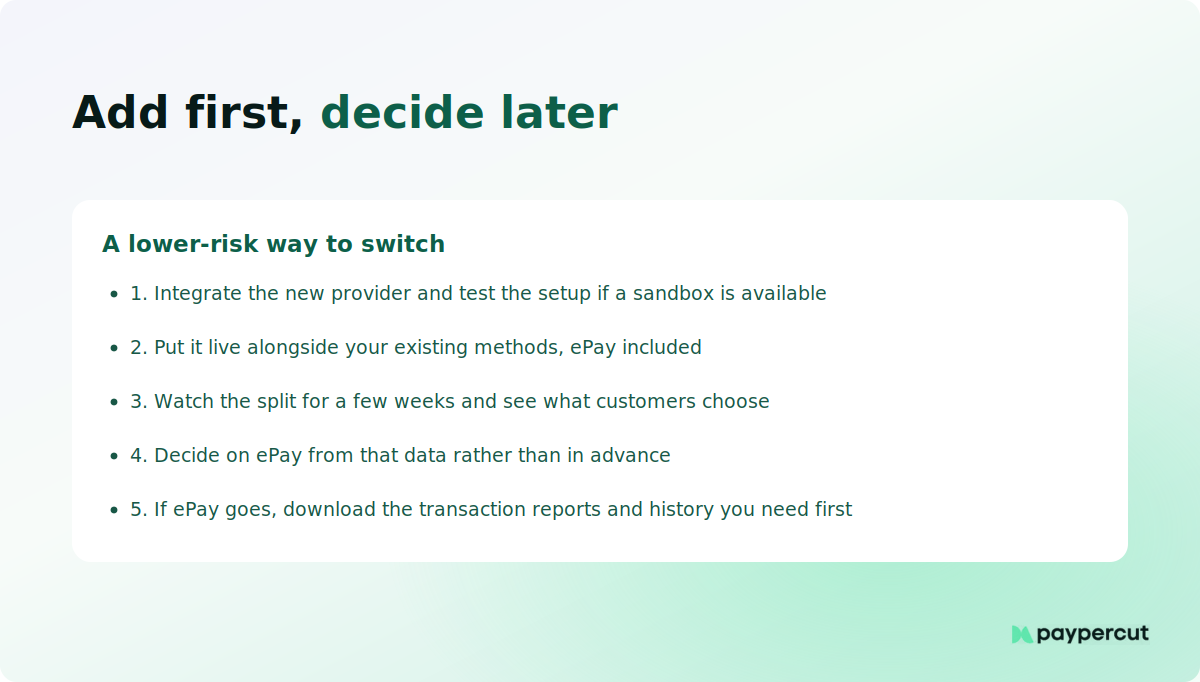
Because adding card acceptance and removing ePay are separate decisions, you can sequence them:
- Integrate the new provider and, if it offers a sandbox, test the setup while verification runs.
- Put it live alongside your existing methods, ePay included.
- Watch the split for a few weeks. Which method do customers actually choose?
- Decide on ePay from that data rather than in advance.
- If it stays, it stays as one method among several. If it goes, download the transaction reports and history you need first.
Ask about the exit before you join. Minimum term, early termination fee, and whether you can export your complete transaction history are three questions that cost nothing now and a lot later.
What the euro changed
Bulgaria's domestic prices and accounting moved to euro on 1 January 2026, and domestic euro transfers sit inside the wider SEPA infrastructure. The mandatory dual price display ended on 8 August 2026, so your storefront no longer has to carry both figures. If you charge and settle in EUR, selling to another euro-area customer no longer creates a BGN to EUR conversion step.
What did not change: your provider still sets the FX margin on any payment outside your settlement currency, so ask for that margin as a number. And a card issued outside the EEA still costs more, euro or not, whoever is paying the fee.
Where Paypercut fits alongside or instead of ePay.bg
If the question you landed on is whether your card acceptance can do better, that is the part Paypercut is built for. For a Bulgarian merchant:
- Published merchant-side pricing. 1.29% + €0.05 for EEA consumer Visa and Mastercard and 2.69% + €0.05 for all other cards, on the pricing page before you speak to anyone. Pricing checked September 2026 and varies by merchant country, volume and payment mix.
- A €15 chargeback fee per dispute, and no separate fee to issue a refund, although the original transaction fee is not returned.
- No activation fee, no monthly minimum, no extra security or compliance fee, and no additional charge just for selling in another European market.
- Payouts to the business bank account you already use. No second account to open or reconcile.
- Cards, Apple Pay, Google Pay, payment links and QR codes, and BNPL through one integration, with hosted and embedded checkout and a documented API.
- The same setup across supported European markets, so adding Greece or Romania does not mean a second provider.
Nothing about that stops you keeping ePay.bg at checkout for the customers who prefer it.
Disclaimer: Pricing, fees, product features and availability referenced in this article were checked on 18 September 2026 and may change over time. We recommend confirming the latest pricing and terms directly with each provider before making a decision.
Compare it against your current terms
Register in a few minutes with fully digital onboarding, and test the whole checkout in the sandbox while your verification goes through.
FAQs
What should I compare between ePay.bg and other payment providers in Bulgaria?
Compare total cost across both sides of the checkout. You pay ePay a merchant fee of 1%, minimum €0.10, on profile, Microaccount and B-Pay payments, and your customer may pay separately depending on how they fund it. Then compare what is not a fee: which methods are live, where your money lands, and how many days until payout.
Is switching away from ePay.bg complicated for an existing online store?
Usually not, and you may not need to switch at all. If a provider maintains an integration for your platform, setup means installing it and adding your credentials. A custom API checkout takes developer time. The low-risk route is to add the new provider alongside ePay.bg, watch what customers choose, then decide. Check minimum terms before you commit.
Do alternative payment providers support the same local Bulgarian payment methods as ePay.bg?
Not identically. Cards, Apple Pay and Google Pay are widely supported, and ePay covers plain card payments through ePay World. What another provider will not replicate is the ePay-specific account side: the Microaccount, EasyPay cash counters, PayFly and B-Pay. If a real share of your customers pay that way, add a provider rather than remove ePay.bg.
How do fees typically compare between ePay.bg and other providers?
Account for both sides. ePay's merchant tariff charges 1%, minimum €0.10, on Microaccount, profile and B-Pay payments. Separately your customer pays nothing from a Microaccount, 0.40% to 0.50% on most Bulgarian consumer cards, and 2.90% on cards issued outside the EU. Other providers publish merchant-side rates, such as myPOS at 1.30% + €0.10 online. Model your own order mix.
What should I check about settlement speed when comparing ePay.bg alternatives?
Ask for the standard payout schedule as a number of days, in writing. Then ask whether a reserve applies to your business type and for how long, whether the payout carries a fee, and whether money reaches your own bank account or a provider-held balance you move yourself. Settlement timing sets your working capital cycle.