

Stripe is one of the best-known platforms businesses consider when setting up online payments. It offers broad international coverage, extensive developer tools and support for a wide range of payment methods.
Paypercut takes a more focused approach. It is built for small and mid-sized businesses selling across European markets, with localised checkout experiences, ecommerce plugins, regional currencies, human support and access to multiple BNPL providers through one integration.
Both platforms support online card payments without setup or monthly fees, but their pricing, regional focus, integrations and additional products differ.
This Stripe vs. Paypercut comparison uses publicly available standard pricing for a Bulgarian Stripe account and Paypercut pricing checked in July 2026. Pricing and feature availability may vary by merchant country, customer location, business model and negotiated agreement.
Stripe vs. Paypercut at a glance
Before getting into the details, here is a quick overview of where the two platforms differ:
| Stripe | Paypercut | |
|---|---|---|
| Standard EEA consumer cards | 1.5% + country-specific fixed fee. Examples: €0.25 in Bulgaria and Greece, RON 1.00 in Romania, PLN 1.00 in Poland, HUF 85 in Hungary. | Country-specific pricing. Examples: Bulgaria 1.29% + €0.05; Romania 0.99% + RON 0.25; Poland 1.29% + PLN 0.25; Hungary 1.29% + HUF 25; Greece 1.29% + €0.10. |
| Other card fees | Premium EEA cards: 1.9% + country-specific fixed fee. UK cards: 2.5% + country-specific fixed fee. Other international cards: 3.25% + country-specific fixed fee. An additional 2% applies where currency conversion is required. | EEA business Visa/Mastercard and all non-EEA Visa/Mastercard cards: Bulgaria 2.69% + €0.05; Romania 2.69% + RON 0.25; Poland 2.69% + PLN 0.25; Hungary 2.69% + HUF 25; Greece 2.69% + €0.10. |
| BNPL | Country-dependent. Klarna is available in selected CEE markets, with pricing and eligibility varying by merchant and customer country. For example, Klarna starts at 4.99% + €0.40 for Greek Stripe accounts. | Multiple providers through one integration; 5% per approved BNPL transaction. Provider availability and approval vary by market. |
| Multi-currency settlement | Settlement and payout in additional supported currencies: 1% of payout volume or a minimum fee. | Payouts included. Supported settlement currencies and local-settlement availability depend on the merchant’s market and setup. |
| Chargeback fee | Country-specific: €20 in Bulgaria and Greece; RON 100 in Romania; PLN 90 in Poland; HUF 7,000 in Hungary. | €15 per dispute. |
| No-code and prebuilt options | Payment Links, hosted Checkout, and platform or partner integrations depending on the ecommerce system. | Shopify, WooCommerce, OpenCart, Magento, PrestaShop, MerchantPro. |
| Payout destination | Connected external bank account. Funds first appear in the Stripe balance and are then paid out according to the account’s payout schedule. | Existing business bank account of the merchant’s choice. |
| Υποστήριξη | 24/7 phone, chat and email support, plus extensive documentation. | Human support included, with local or regional support available in multiple markets. |
| Best for | Global developer teams. | CEE SMBs. |
Pricing for Stripe and Paypercut varies by merchant country. The examples shown use publicly listed standard pricing for Bulgaria, Romania, Poland, Hungary and Greece, checked in July 2026. Custom or negotiated rates may differ.
Stripe overview
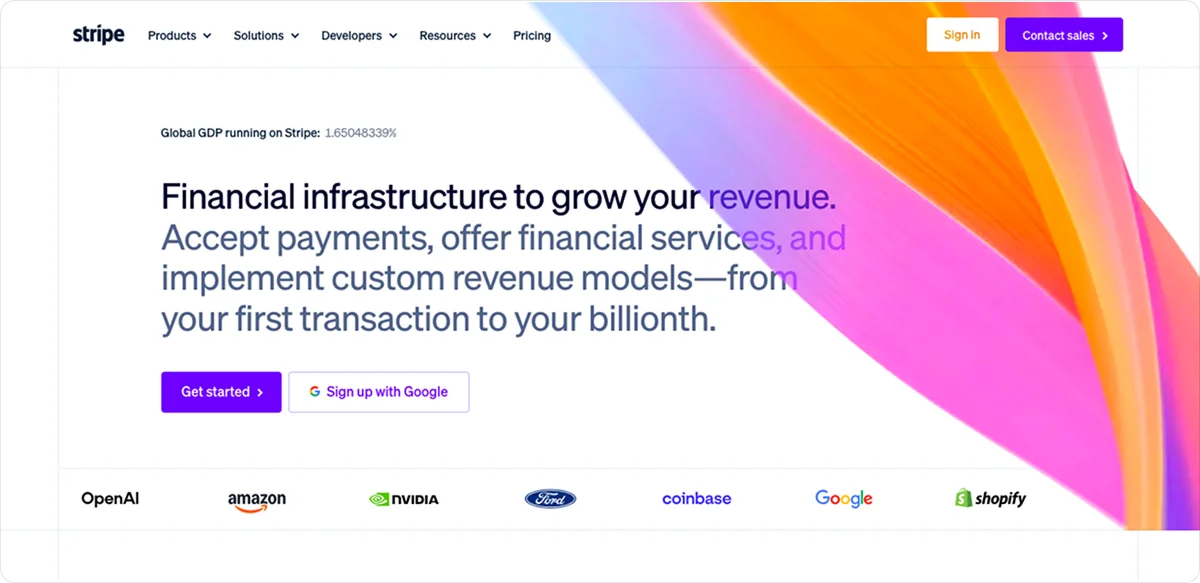
Stripe is a global payments infrastructure company used by businesses from early-stage startups to large enterprises. It supports 100+ payment methods, 135+ currencies, and customers in 195 countries.
Its API is one of the most developer-friendly in the industry, with extensive documentation, SDKs, and a large app marketplace. That makes it a natural choice for developer teams and businesses with complex payment needs.
CEE businesses without a dedicated technical team will notice some limitations, though. Multi-currency settlement costs extra, BNPL is limited to Klarna, and businesses that need custom querying or deeper data analysis beyond the standard dashboard will need to add Stripe Sigma as a paid product.
Key features
- Checkout options: You can choose between prebuilt hosted checkout pages, flexible UI components via Stripe Elements, and no-code payment links. Customization is extensive but typically requires developer input.
- Recurring billing: Stripe Billing supports subscriptions, usage-based pricing, and invoicing. It is a paid add-on, priced at 0.7% of billing volume on the pay-as-you-go plan.
- Fraud prevention: Stripe Radar uses machine learning to detect and block fraudulent transactions, included in standard pricing.
- Advanced analytics: Stripe Sigma lets merchants run custom reports on their payment data.
- BNPL: This option is available only through Klarna.
- Support: It is available 24/7 via chat and email (phone support only available on paid support plans), with additional resources you can find through the Stripe developer community.
Pros and Cons
✅ Pros
- Supports 100+ payment methods, 135+ currencies, and payment acceptance across 195 countries
- Offers extensive APIs, SDKs, and prebuilt checkout tools for businesses that need deep customization or complex billing flows
- Includes built-in fraud detection through Stripe Radar at no extra cost on standard pricing
- Provides a broad international payments infrastructure suited to global expansion beyond Europe
❌ Cons
- Requires developer expertise for most non-trivial setups, which makes it harder for smaller businesses to get started
- Charges an additional fee of payout volume for multi-currency settlement on top of the transaction fee
- Limits BNPL to Klarna only in CEE markets, with no option to connect additional providers
- Locks advanced reporting behind a separate paid add-on, not included in the standard plan
Stripe pricing (CEE)
Stripe's standard pricing has no monthly fees, but the total cost grows quickly once multi-currency payouts and paid add-ons are factored in.
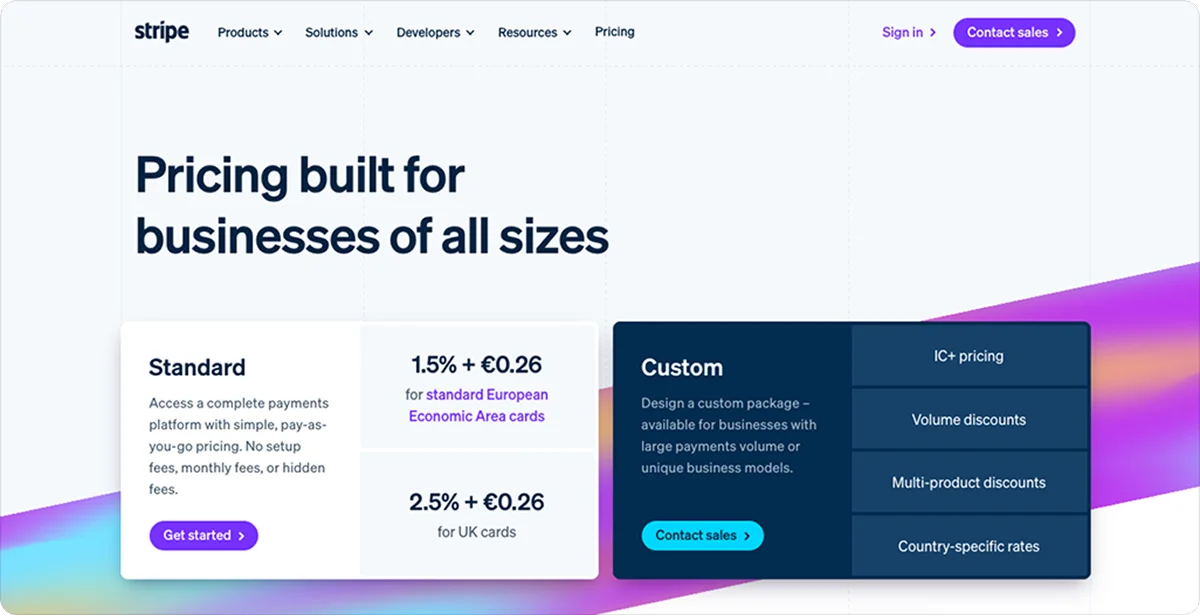
- Standard EEA consumer cards: 1.5% + country-specific fixed fee (e.g. €0.25 in Bulgaria and Greece)
- Premium EEA cards: 1.9% + country-specific fixed fee
- UK cards: 2.5% + country-specific fixed fee
- International cards: 3.25% + country-specific fixed fee
- Currency conversion: additional 2% where required
- Multi-currency settlement: +1% of payout volume or a minimum fee
- Klarna (BNPL): pricing and eligibility vary by merchant and customer country (e.g. from 4.99% + €0.40 for Greek Stripe accounts)
- Chargeback: country-specific (e.g. €20 in Bulgaria and Greece, RON 100 in Romania, PLN 90 in Poland, HUF 7,000 in Hungary)
- No setup fees or monthly fees
Paypercut overview
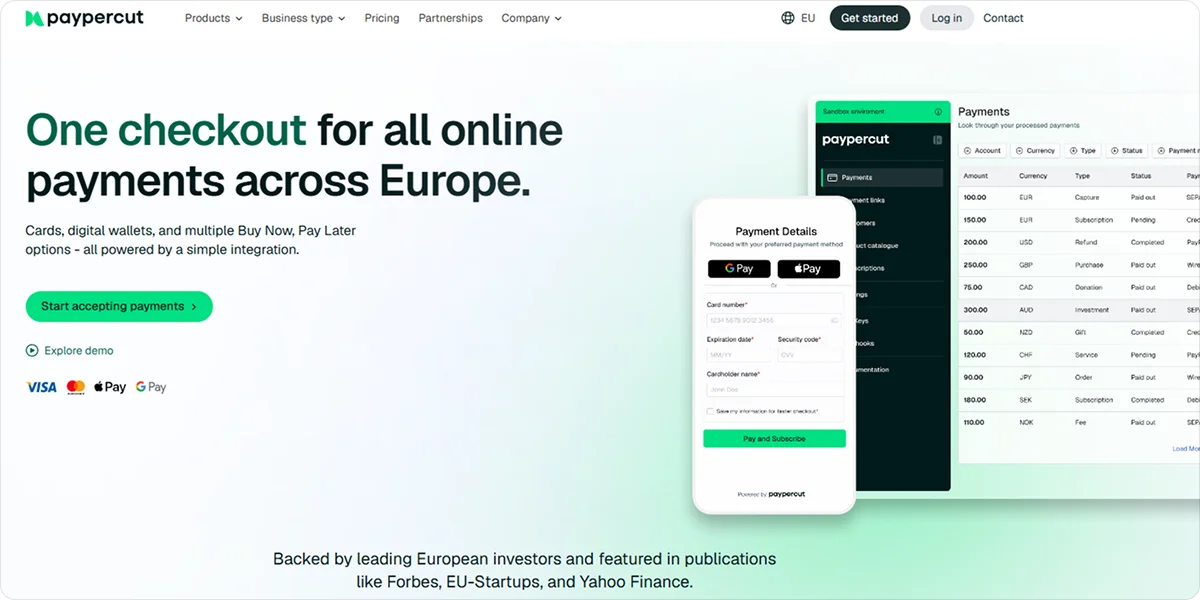
Paypercut is a payments platform built specifically for small and mid-sized sellers in Central and Eastern Europe.
It covers the full range of what an online business needs to accept payments: cards, digital wallets, BNPL, payment links, QR codes, recurring billing, and multi-currency settlement, all from one dashboard and one integration.
Most global platforms technically work in CEE, but few are actually built for it. Paypercut is designed around the local currencies, BNPL providers, and checkout expectations of customers in markets like Bulgaria, Romania, Poland, Greece, and Hungary.
Key features
- Card payments and digital wallets: Accepts Visa, Mastercard, Apple Pay, and Google Pay, with wallet transactions priced the same as card payments
- BNPL aggregator: Allows businesses to offer Buy Now, Pay Later through multiple providers via a single integration
- Checkout options: Supports hosted checkout, embedded checkout, and plugins for Shopify, WooCommerce, OpenCart, Magento, PrestaShop, and MerchantPro
- Payment links and QR codes: Accept payments without a website by sharing a link or QR code directly with customers
- Recurring billing: Supports subscriptions and automated recurring payments
- Multi-currency settlement: Settles in RON, PLN, HUF, CZK, EUR, GBP, and more, included in the base transaction fee
- Merchant dashboard: Tracks transactions, payouts, fees, and provider performance in real time
Pros and Cons
✅ Pros
- Paypercut charges lower card fees for EEA consumer cards than Stripe, at 1.29% + €0.10 per transaction.
- Paypercut does not charge a separate payout fee; supported settlement currencies and local-settlement availability depend on the merchant's market and commercial setup.
- Payouts go directly to the merchant's existing bank account, with no new account needed.
- Onboarding is fully digital and requires no paperwork.
- Support is handled by real people throughout onboarding and beyond.
❌ Cons
- BNPL provider availability varies by market and merchant eligibility.
- Brand recognition outside CEE is more limited compared to established global platforms.
- Analytics are more basic compared to Stripe.
- The third-party ecosystem is smaller, with fewer advanced developer products than Stripe.
Paypercut pricing
Paypercut charges a single per-transaction rate with no extras on top, regardless of the currency you settle in.
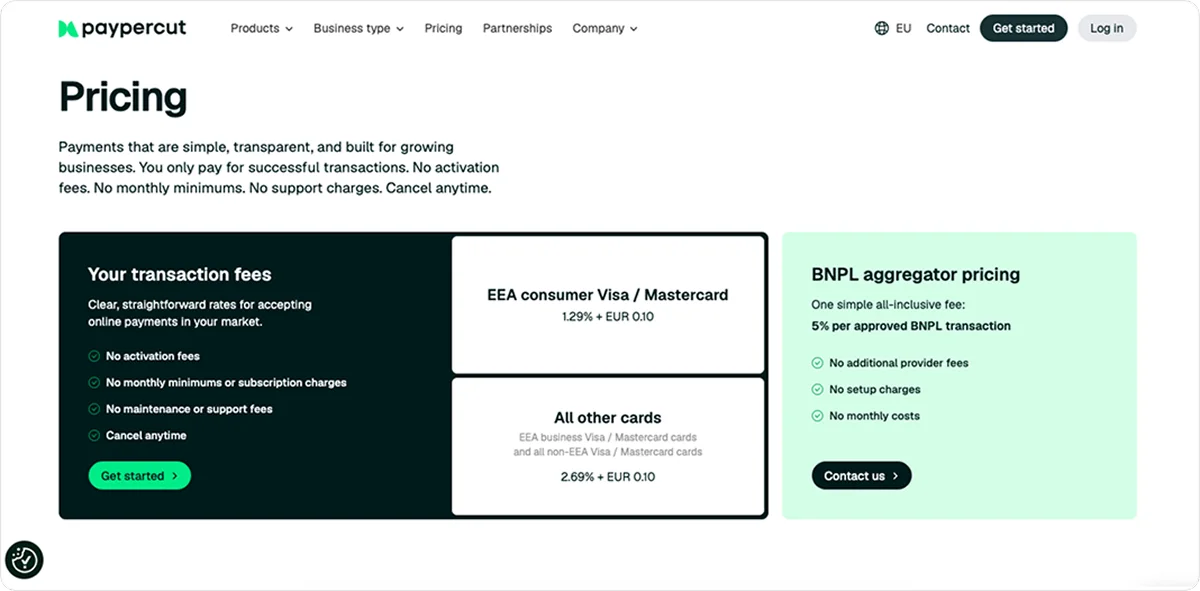
- EEA consumer Visa/Mastercard: 1.29% + €0.10
- All other cards: 2.69% + €0.10
- BNPL aggregator: 5% per approved transaction, all-inclusive
- No setup fees, monthly fees, PCI compliance fees, or cross-border surcharges
Stripe vs. Paypercut: Detailed comparison
Here is how Stripe and Paypercut compare across the factors that matter most for businesses in Central and Eastern Europe:
1. BNPL support
According to the Worldpay Global Payments Report 2025, BNPL global online spending grew from $2.2 billion in 2014 to $342 billion in 2024, and many retailers now consider some form of BNPL option a checkout essential. In CEE, adoption is still catching up, but it is growing fast, particularly in markets like Poland and the Czech Republic.
Stripe supports several BNPL methods globally, but the options available to a CEE merchant depend heavily on the merchant’s country and the customer’s location. Klarna is available in some CEE markets, but coverage is not uniform across the region. It works well in markets like Germany and Sweden, where it has strong consumer recognition.
In CEE, things are a bit different. Klarna's footprint across the region is limited, and if a customer gets declined or doesn't recognize the brand, there is no alternative; the sale is lost.
Paypercut provides an aggregation layer for multiple BNPL providers, with availability and approval managed per market. Merchants still require approval from each individual provider.
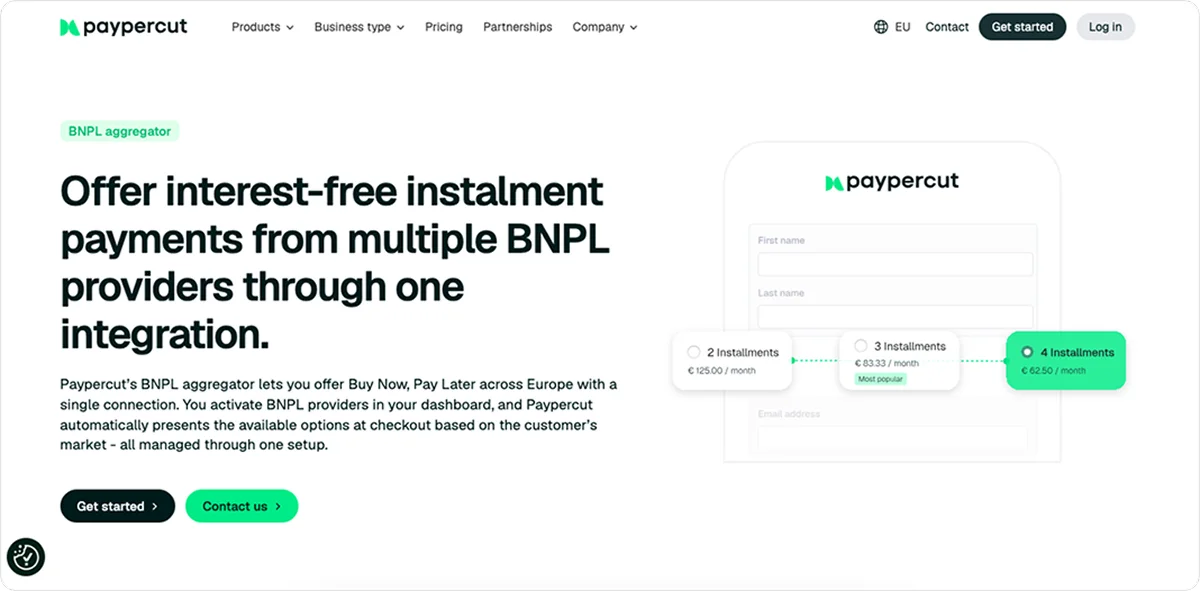
Each business signs agreements directly with its chosen providers, and Paypercut handles the routing and management centrally.
If one option is unavailable or declined, the customer may be able to select another eligible payment method presented at checkout. That means more completed sales without any changes to your setup.
Keep in mind that provider availability varies by market, and some countries are still in rollout. Be sure to confirm which providers are active in your specific markets before going live.
2. Integration and setup
Getting started with Stripe means working with an API. The documentation is thorough, and the developer experience is genuinely positive.
But for a salon owner or a small online retailer, that's not a practical starting point. Most non-trivial setups require external technical help, which adds time and cost before a single payment is processed.
Paypercut offers ready-made plugins for all major e-commerce platforms. If your store runs on any of them, setup is guided and requires no coding. If you have a custom-built website, a full API is available too.
Onboarding is fully digital and takes just a few days from signup to going live. A sandbox environment is also available from day one, so you can test payments while KYC verification is still being processed.
3. Local fit for CEE
Stripe works in most CEE markets. You can sign up, integrate, and start accepting payments in the region without any issues.
But working in a market is not the same as being built for it. Stripe's infrastructure was designed around the US, UK, and Western Europe. There is no CEE-specific onboarding, no localized BNPL routing, and no dedicated support for the region.
If you're expanding from one CEE country into another, you're largely on your own when it comes to local compliance and payment preferences.
CEE e-commerce grew 18% in 2024, more than double the European average. This growth brings more sellers online and raises the bar for what a payment platform needs to deliver locally.
Paypercut's regulated payment services run through EU-licensed institutions, with payment-flow and provider requirements applied through the platform and its regulated partners. Merchants remain responsible for their own legal, tax, and consumer-protection obligations. Currencies, BNPL providers, and settlement flows are automatically configured per market.
Expanding from Bulgaria into Romania or from Poland into Hungary doesn't mean rebuilding your checkout. It means turning on a new market in your dashboard.
4. Customer support
Stripe offers 24/7 support via chat and email, backed by extensive documentation and an active developer community. Phone support and dedicated account management are available only on paid support plans, not on standard accounts.
For a technical team troubleshooting an integration issue, this is usually enough. However, small business owners setting up payments for the first time might have a different experience. Questions about payouts, onboarding steps, or local payment requirements don't always have a clear answer, and waiting on a chat response when something goes wrong mid-transaction is frustrating.
Paypercut's support is handled by real people. You're not routed through a ticket system or pointed to a documentation page. From the first onboarding call through the life of your account, you have direct access to someone who knows the product and understands the markets you're selling in.
5. Pricing
Both platforms charge per transaction with no monthly fees. On paper, the rates look close, but in practice, they are not.
On a €100 EEA consumer card transaction in Greece, for example, Paypercut charges €1.39 and Stripe charges €1.75, a difference of €0.36 per transaction. At €50,000 in monthly volume across 500 transactions with an average order value of €100, standard EEA card processing would cost approximately €875 with Stripe and €695 with Paypercut, a difference of €180 before any currency-conversion or additional-product fees.
Currency costs are separate from the per-transaction rate, and this is where Stripe's pricing structure affects CEE businesses most. According to the ECB, high payment costs disproportionately affect SMEs operating on tight margins, often discouraging cross-border trade.
Also, Stripe charges an additional fee on every payout converted to a non-EUR currency, so a Romanian business settling in RON, a Hungarian business settling in HUF, or a Polish business settling in PLN pays that fee on top of every transaction.
Paypercut includes local currency settlement in the base rate, so the price you see is the price you pay.
Chargeback fees follow a similar pattern. Paypercut charges €15 per dispute, and Stripe charges €20, so businesses that receive a higher number of disputes will feel the difference in chargeback fees more strongly over time.
Stripe or Paypercut: Which should you choose?
Here is how the two platforms score across the criteria that matter most for CEE retailers:
| Criterion | Stripe | Paypercut |
|---|---|---|
| Standard EEA card price | 1.5% + €0.25 | 1.29% + €0.10 |
| Checkout options | Hosted, embedded and custom components | Hosted, embedded, express and plugins |
| BNPL | Availability varies by country | Multiple provider aggregation, market dependent |
| International reach | Broad global coverage | Focused primarily on European markets |
| Developer tooling | Extensive APIs, SDKs and ecosystem | API plus ecommerce plugins |
| Υποστήριξη | 24/7 phone, chat and email | Human support with local-market context |
| Custom analytics | Sigma available as paid add-on | More focused merchant dashboard |
Choose Stripe if you:
- Have an in-house developer team and need a highly customizable setup
- Need to expand into markets outside Europe
- Run a SaaS, marketplace, or subscription-based business model
- Need enterprise-level analytics, tax automation, or complex billing flows
Choose Paypercut if you:
- Run an SMB in CEE and sell online
- Want to offer BNPL without managing separate provider integrations per country
- Need a fast, no-code setup through your existing e-commerce platform
- Want lower transaction fees and no extra costs for local currency payouts
- Prefer speaking to a real person over waiting for a chat response
Stripe works well for businesses with the technical resources and global ambitions to make the most of it. CEE merchants have different priorities, and Paypercut was built around them.
Ready to accept payments the way CEE customers actually pay? Get started with Paypercut or talk to the team to find the right setup for your markets.
FAQ
Can I switch from Stripe to Paypercut without rebuilding my checkout?
Yes, if your store runs on Shopify, WooCommerce, Magento, or another supported platform.
For stores using a supported ecommerce platform, adding Paypercut can be completed through a plugin rather than a custom API build. The amount of migration work depends on your existing checkout, subscriptions, saved payment methods, refunds and reporting setup.
Guided installation means you don't need technical knowledge to get started. Custom-built websites can connect through the full API.
Can I use Paypercut's BNPL aggregator if I already have a payment provider?
Yes. The BNPL aggregator is available as a standalone product, so businesses that are happy with their current card processing can add it without switching providers. The published rate is a flat 5% per approved BNPL transaction, with no direct provider fees on top.
Does Paypercut support businesses that sell both online and in person?
Paypercut does not currently offer card-reader hardware or a traditional POS terminal. Businesses can still accept online payments in physical settings like markets, pop-ups, and restaurants, by displaying a QR code or sharing a payment link, which customers open and complete on their own device.